No manga pages go anywhere. Detection, OCR, and translation run
where you are: in the browser, on your hardware.
100% Local Inference
Your manga never leaves the browser. Detection runs through
YOLO-Nano via ONNX Runtime Web. Translation runs on WebLLM,
accelerated by WebGPU. No server, no API key required, no
subscription.
WebGPUWebLLMOn-device
Lightning Fast Vision
A custom YOLO-Nano model trained on 5,595 manga pages finds speech
bubbles in milliseconds. Trained on Manga109-s and MangaDex data.
PaddleOCR pulls the text out on-device, no round-trips needed.
93%
Precision
94.7%
mAP@50
2.4M
Params
Cloud Option Available
Prefer cloud-quality output? Bring your own Gemini API key and
switch to Cloud Mode. The annotated page image is sent directly to
Gemini, which handles OCR and translation in one step. Your API
key never touches our servers — the request goes straight from
your browser to Google.
Your key. Direct to Google. No proxy.
Smart Series Context
Set a title, plot summary, and custom dictionary per series.
Character names and terminology stay consistent across chapters.
The last five translations are used as context for subsequent
pages.
Open a manga page, click the icon, and you are reading in your
language within seconds.
01
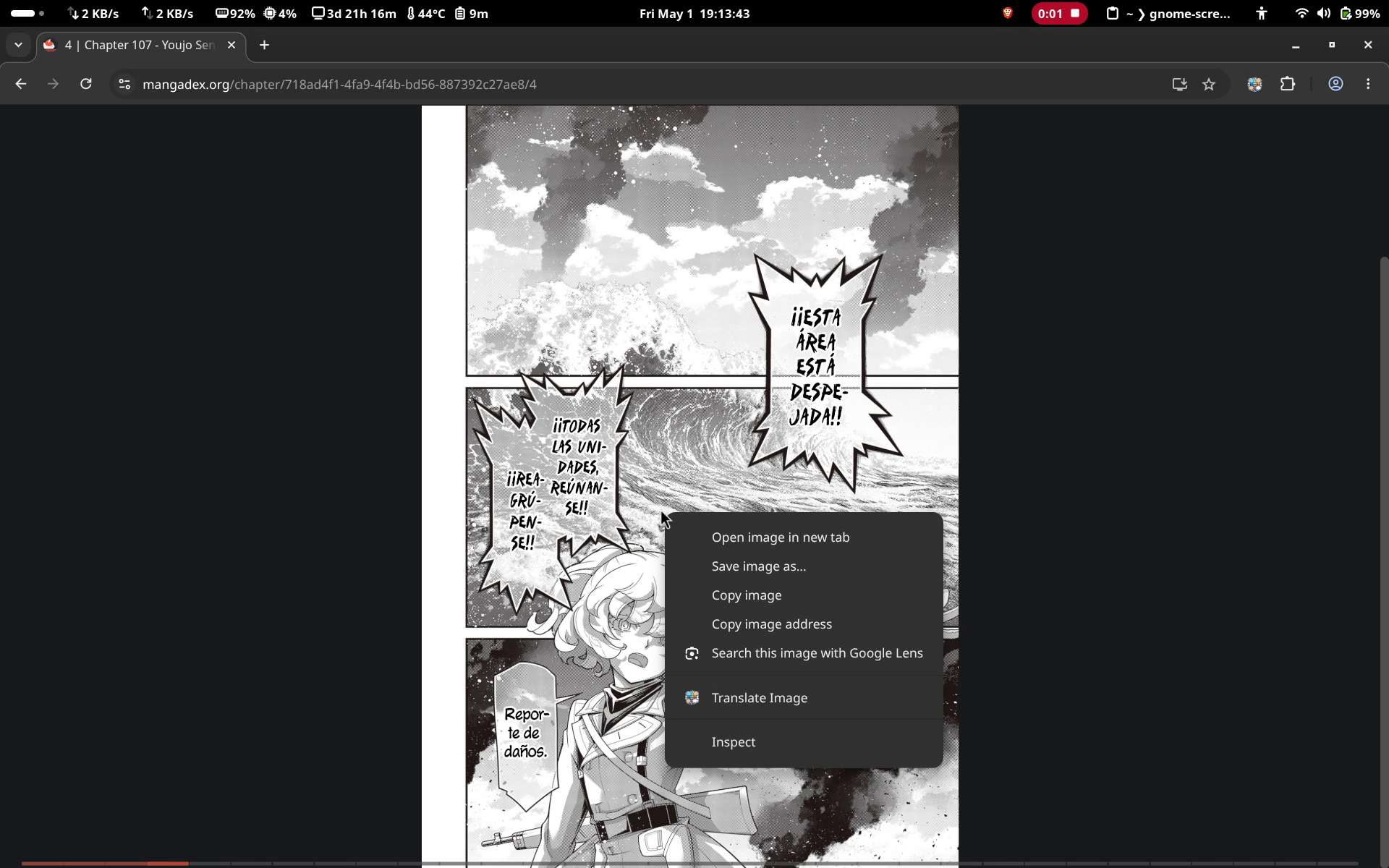
Open any manga page
Navigate to any manga page in Chrome or Firefox. Right click and
select "Translate Image" with ComicTL icon in the context menu.
02
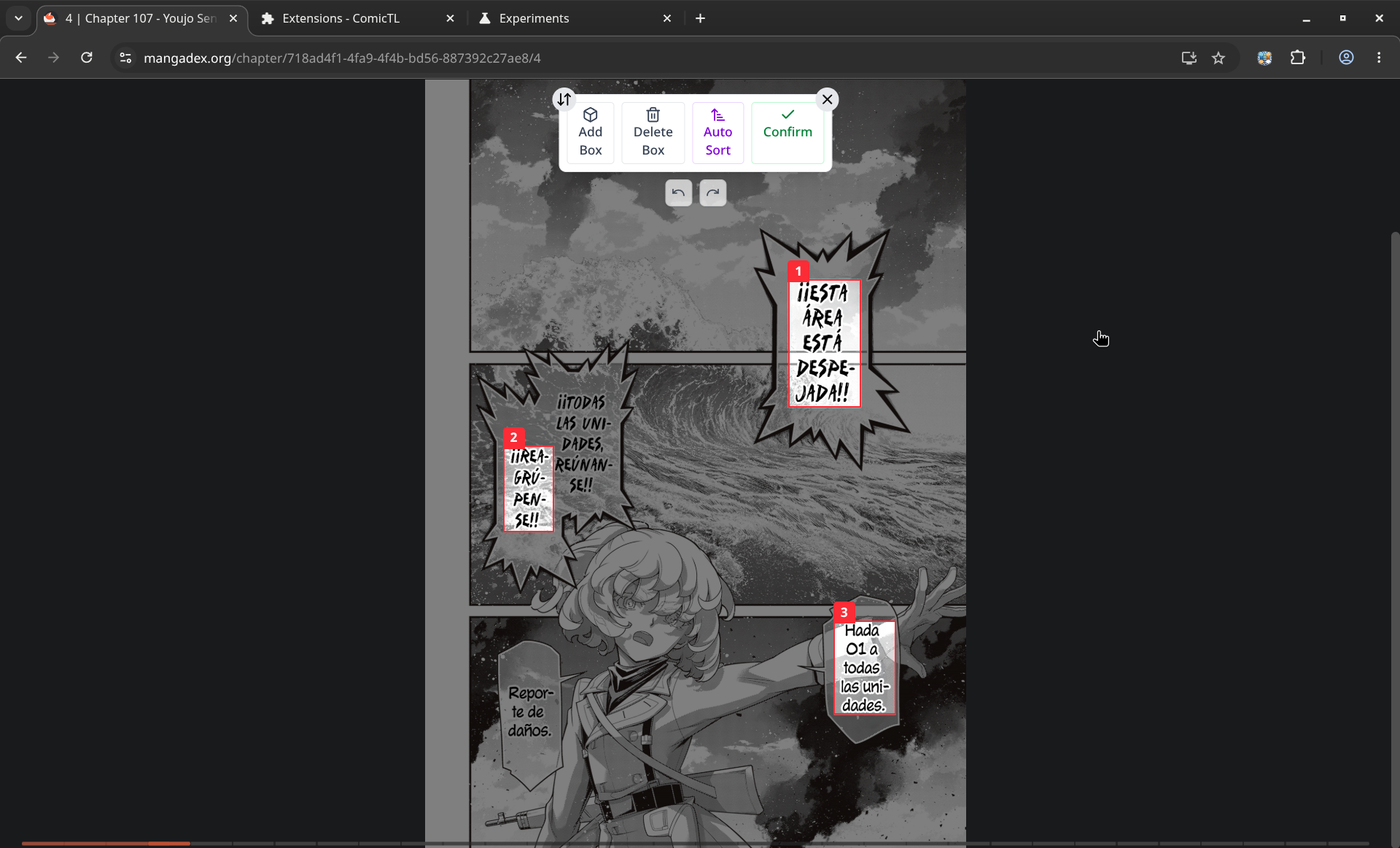
Bubbles detected automatically
YOLO-Nano runs locally and draws numbered bounding boxes around
every speech bubble. Detection happens in under a second on most
machines.
03
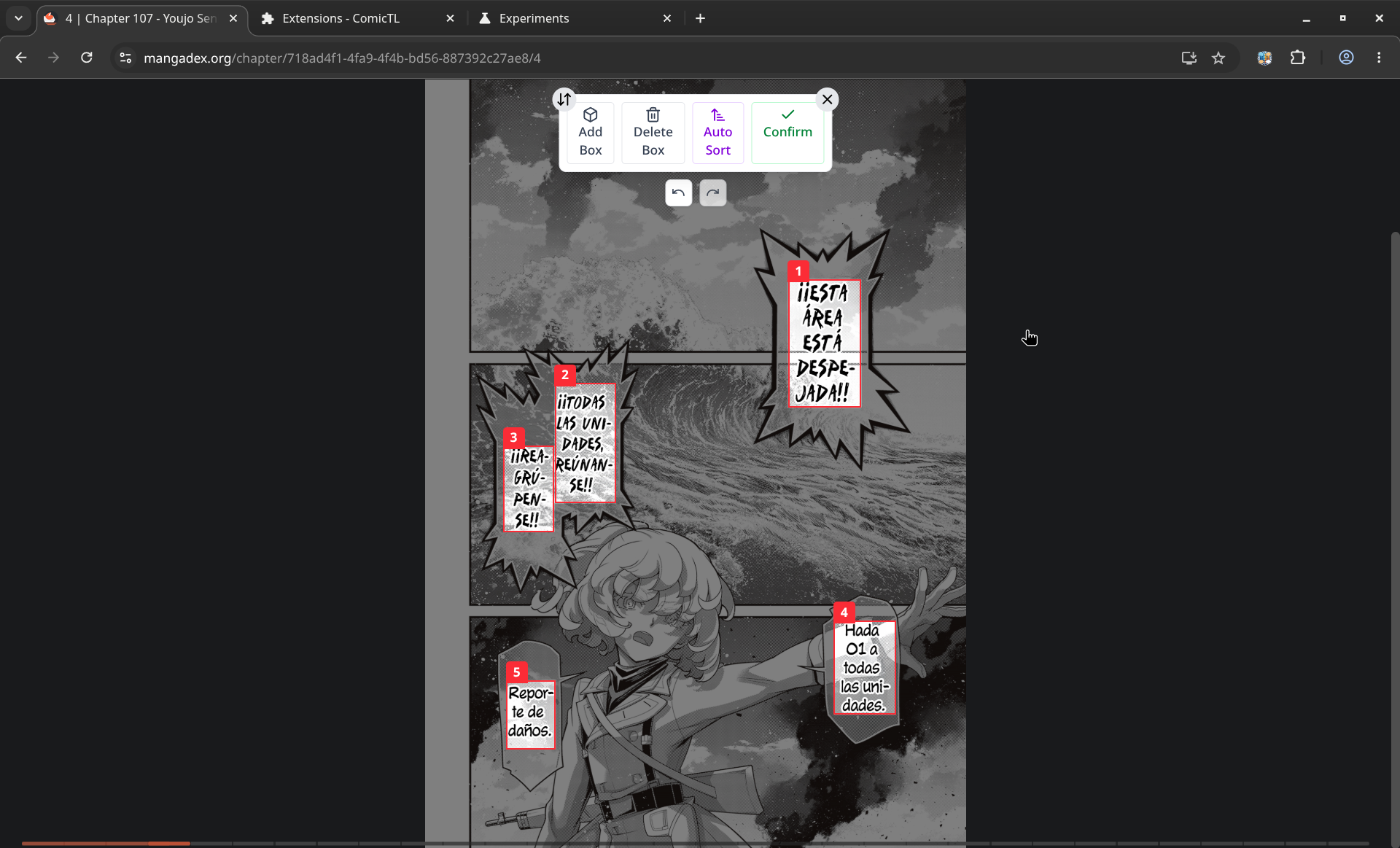
Adjust the boxes if needed
Drag, resize, add, or delete boxes before confirming. Undo and
redo are fully supported. When the boxes look right, click
Confirm.
04
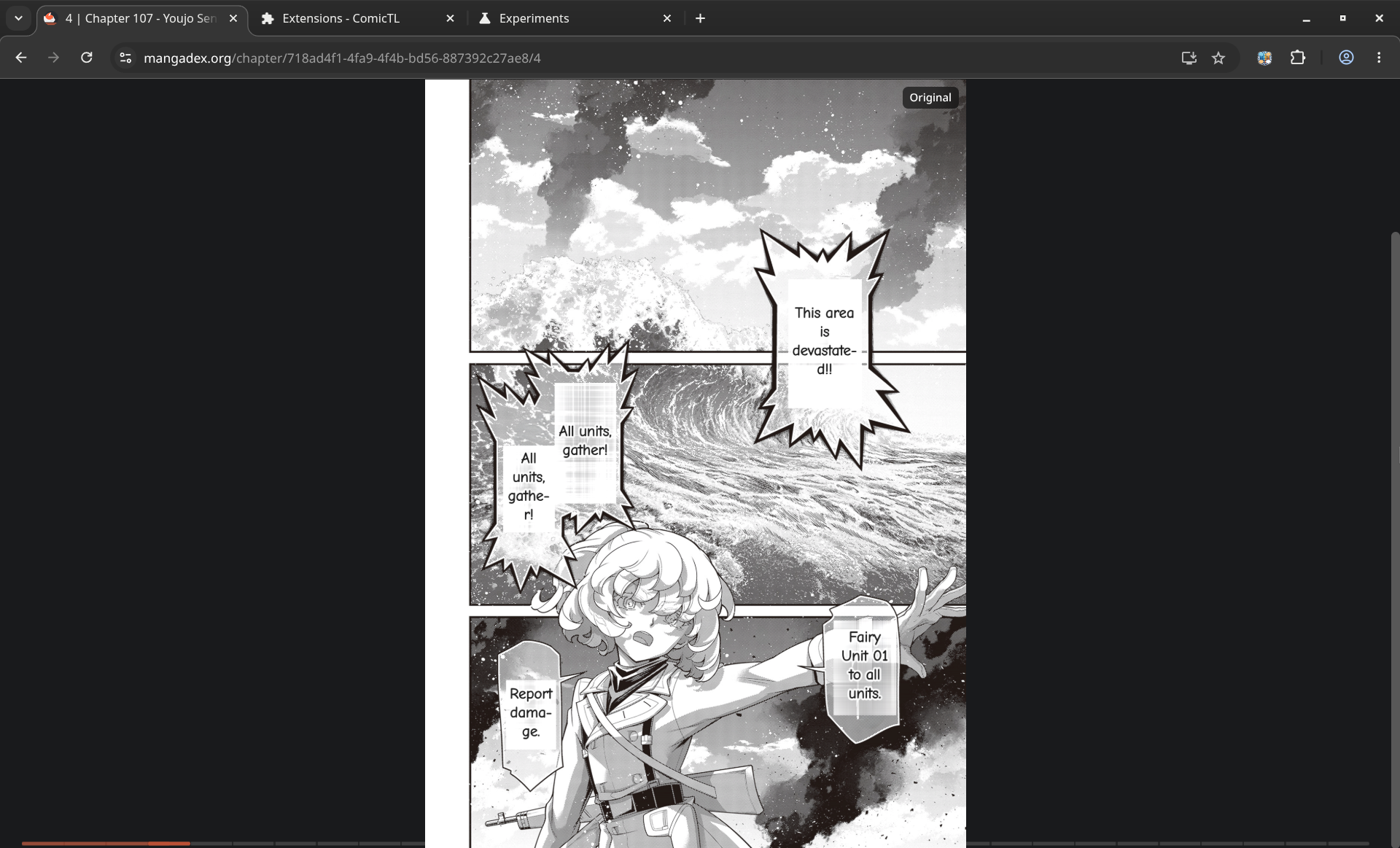
Translation painted in-place
In Local Mode, PaddleOCR extracts the text and a local Llama
model translates it on-device via WebGPU. In Cloud Mode, the
annotated image goes to Gemini which handles both. Either way,
the result is painted directly onto the original page. Toggle
between original and translated at any time.
Under the hood
A real inference pipeline in the browser
No toy wrappers. ONNX Runtime Web runs YOLO directly. PaddleOCR
extracts text on-device. WebLLM loads actual language model weights
and runs them on WebGPU.
Detection Layer
YOLO26-Nano / Small
ONNX Runtime Web
PaddleOCR
On-device text extraction
Offscreen Document
Isolated inference thread
Translation Layer
WebLLM
Qwen3 4B (Balanced) · Qwen3 8B (High Quality)
Gemini API
Optional. Your key only.
Series Context
5-chapter rolling history
Extension Layer
WXT Framework
Chrome + Firefox builds
Svelte 5 Runes
Fine-grained reactivity
Supabase
Opt-in bbox telemetry
Read manga your way. No cloud tax.
Free and open source. MIT licensed. No account. No API key required to
get started.